Extracting Hidden Evidence: Recovering Embedded Base64 Data from Image EXIF Metadata
1 min read
What Happens
In this forensic walkthrough, I analyzed an image and discovered suspicious metadata artifacts buried inside the EXIF section. By extracting and decoding the hidden Base64 string, I successfully recovered the concealed flag. This article demonstrates how EXIF metadata can be leveraged for steganography and how simple forensic techniques can reveal critical compromised information.
What I Did

we got the cat image

since the tag is “Forensic” and I got the image, the first thing i want to check is the metadata.
for doing this i use Cyberchef → upload the image → extract exif
ÿØÿàJFIFÿí0Photoshop 3.08BIMtPicoCTFÿáùhttp://ns.adobe.com/xap/1.0/<?xpacket begin='' id='W5M0MpCehiHzreSzNTczkc9d'?>
<x:xmpmeta xmlns:x='adobe:ns:meta/' x:xmptk='Image::ExifTool 10.80'>
<rdf:RDF xmlns:rdf='http://www.w3.org/1999/02/22-rdf-syntax-ns#'>

 <rdf:Description rdf:about=''
  xmlns:cc='http://creativecommons.org/ns#'>
  <cc:license rdf:resource='cGljb0NURnt0aGVfbTN0YWRhdGFfMXNfbW9kaWZpZWR9'/>
 </rdf:Description>

 <rdf:Description rdf:about=''
  xmlns:dc='http://purl.org/dc/elements/1.1/'>
  <dc:rights>
   <rdf:Alt>
    <rdf:li xml:lang='x-default'>PicoCTF</rdf:li>
   </rdf:Alt>
  </dc:rights>
 </rdf:Description>
</rdf:RDF>
</x:xmpmeta>
inside the image I found this at the header and found interesting tag that are encoded with base64
'cGljb0NURnt0aGVfbTN0YWRhdGFfMXNfbW9kaWZpZWR9'now I just need to decode it and the result is
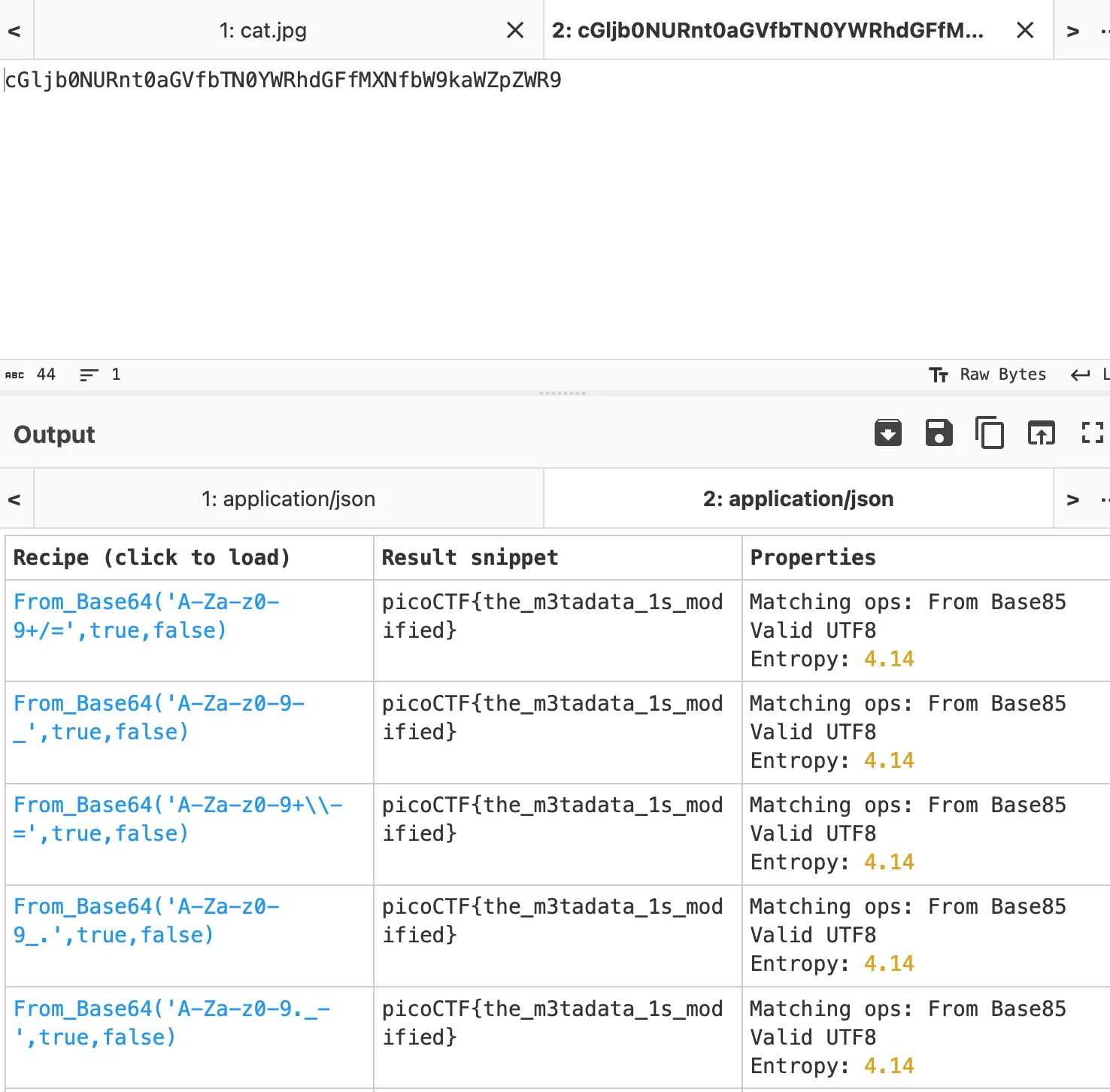
picoCTF{the_m3tadata_1s_modified}